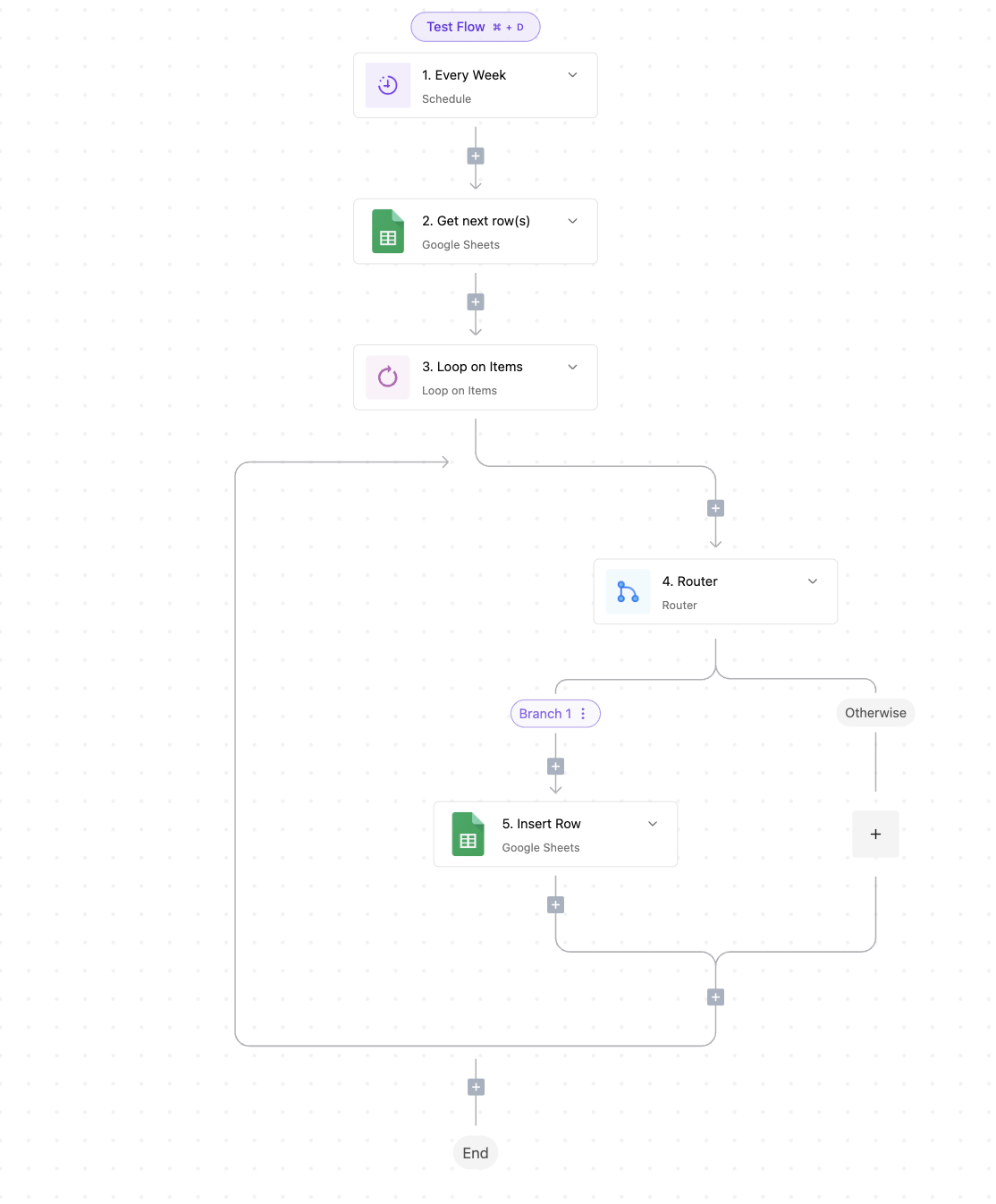
Well, I figured it out. All good. The only thing, is that I’m having troubles getting all the values from the Sheet one by one by filtering. For example if I have 3 columns with:
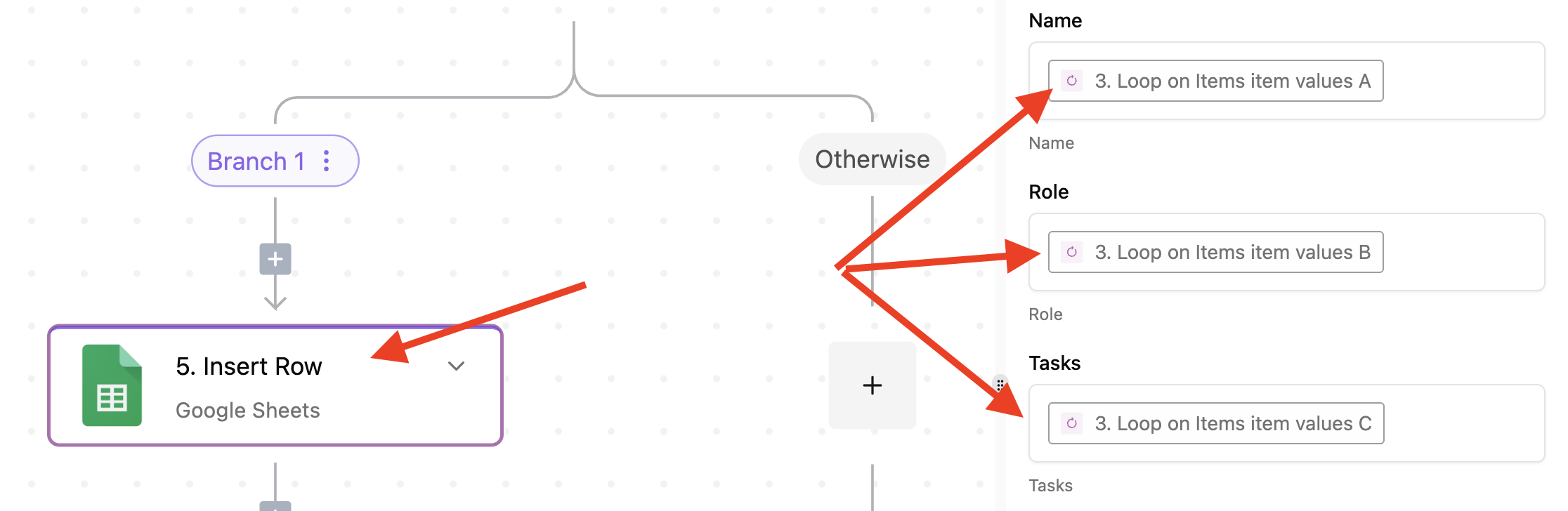
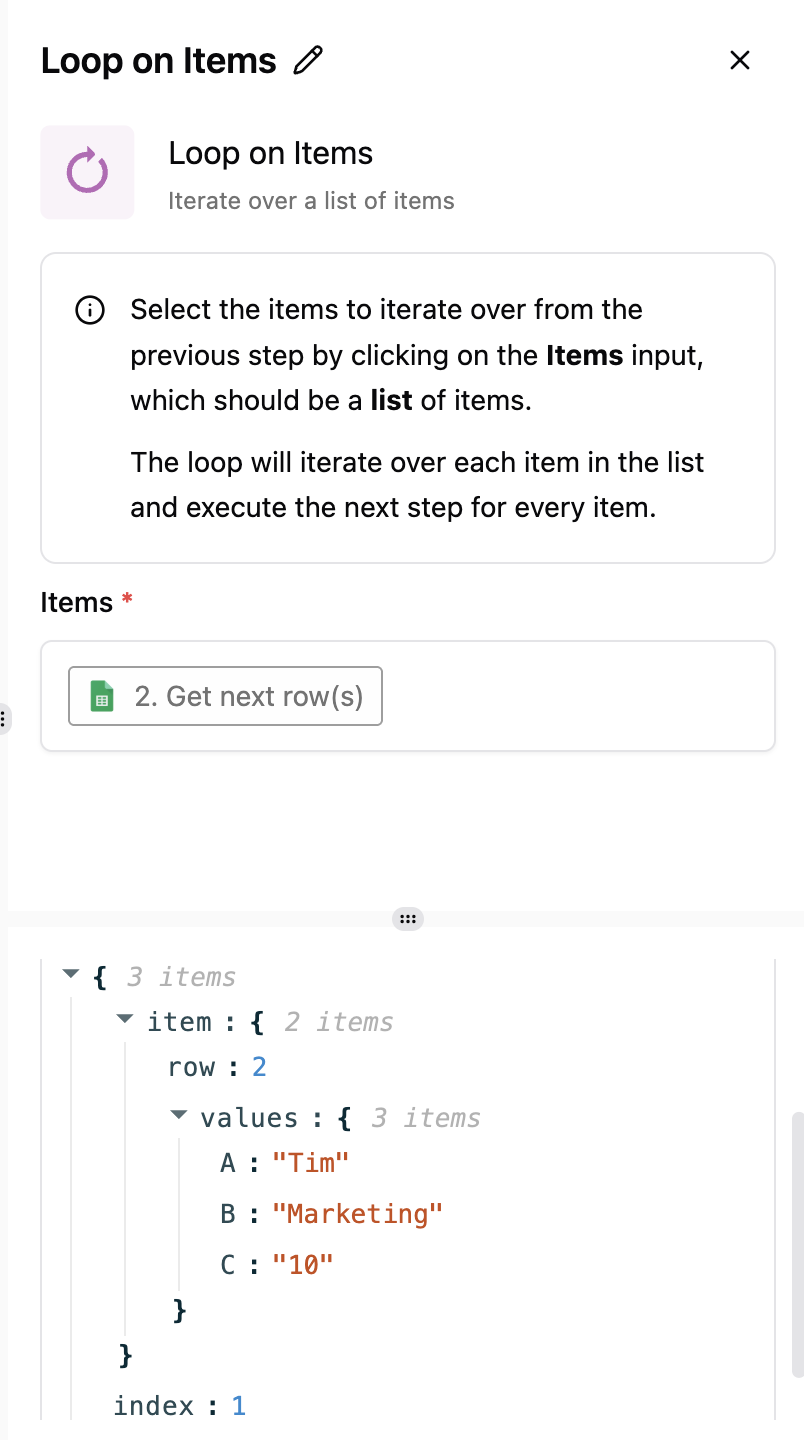
Team member name | Role | Tasks
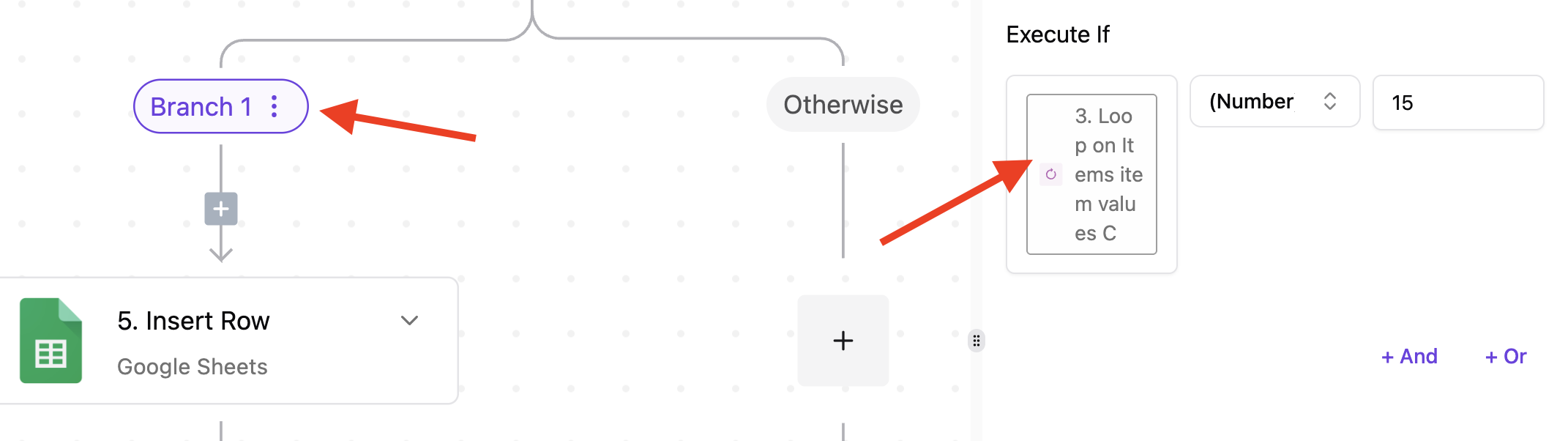
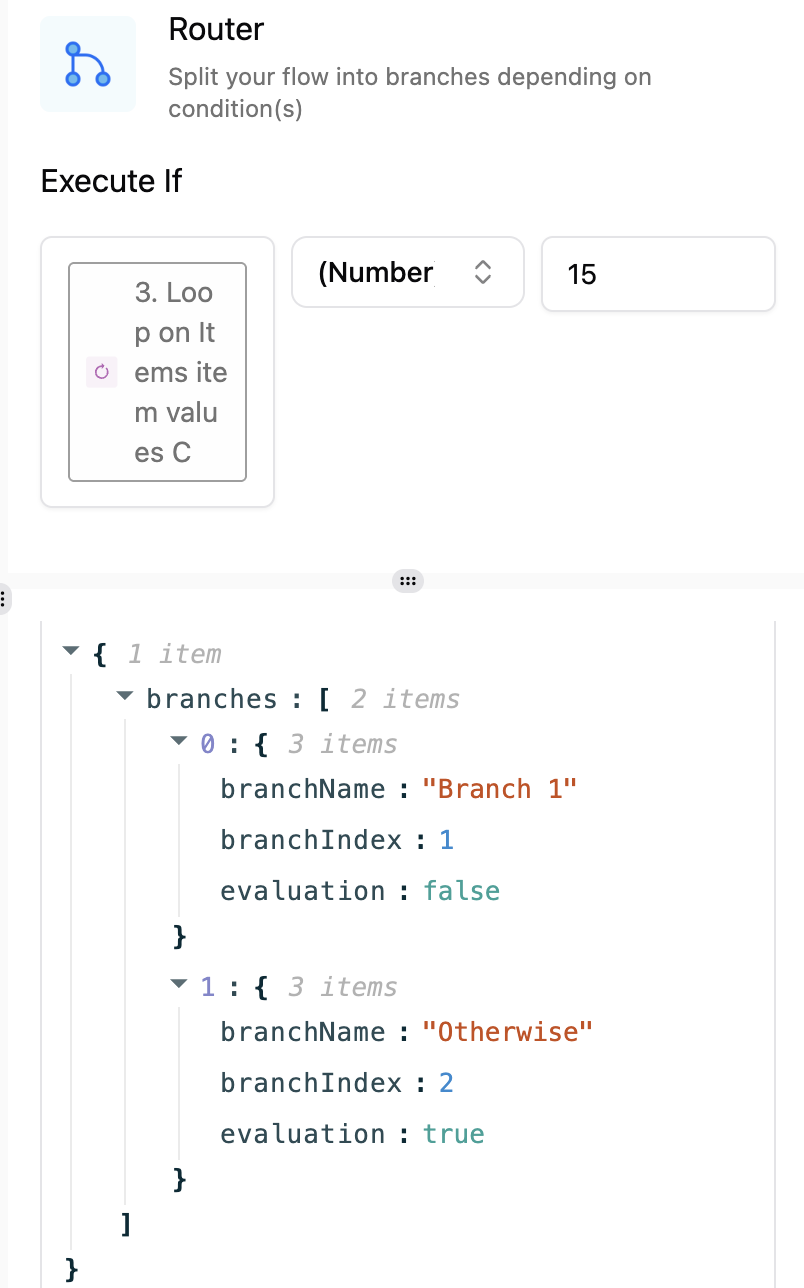
And I want to get the names of the team members that have less than 5 tasks. I am having troubles doing this with the Router piece. Maybe I do something wrong…
This is just a test/practice flow, I ran it and it seemed it worked, it written in the Sheet only the team members with more than 15 tasks. But, after than successful run, I’ve ran it again 3-4 times and for some reason, it seems it doesn’t work.
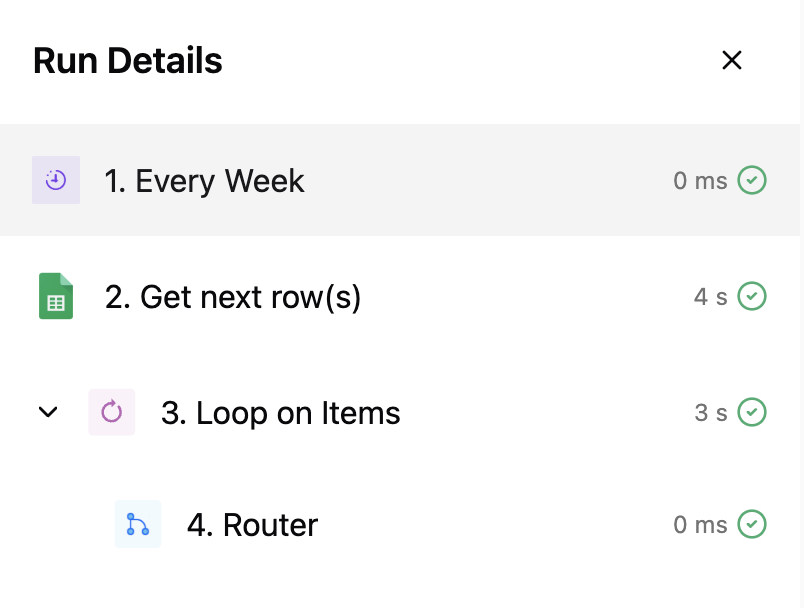
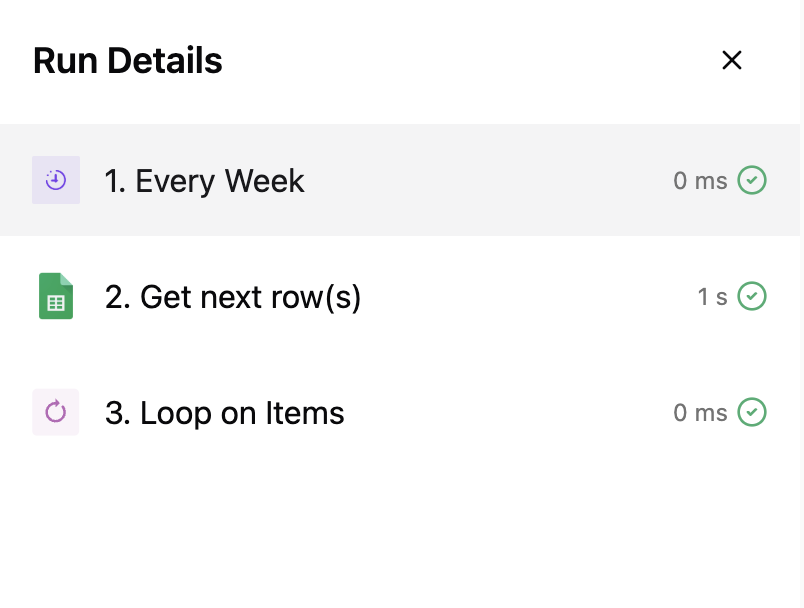
So for this run, which didn’t work, I can see that there is no router step. That means the ‘Get next row(s)’ step returned an empty result. Can you check the output of step 2 in this run and see what the result is?

 ,
,