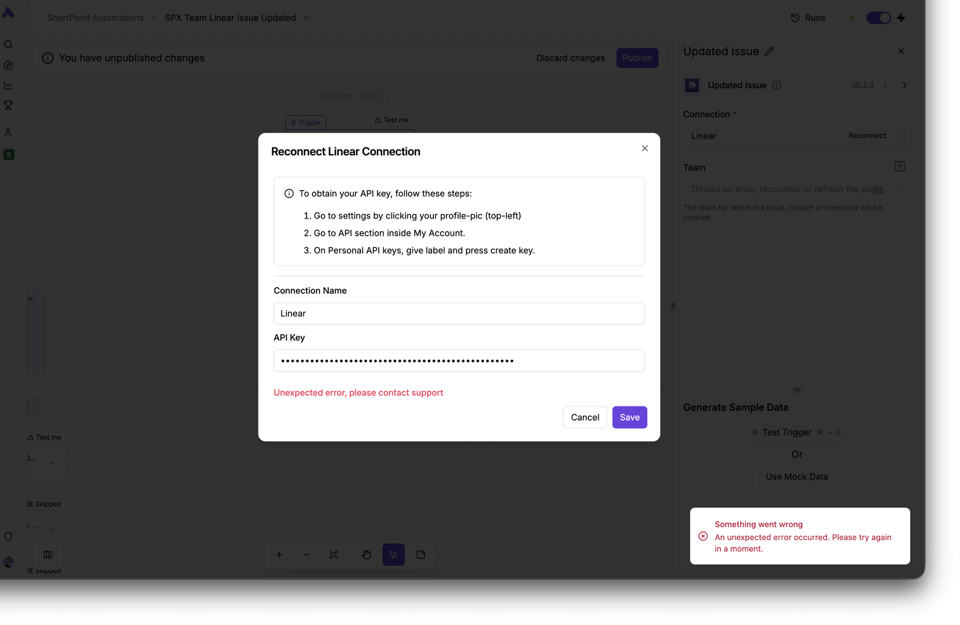
Unexpected error, please contact support

POST https://cloud.activepieces.com/api/v1/app-connections 400 (Bad Request)

internalErrorToast An unexpected error occurred. Please try again in a moment.

AxiosError: Request failed with status code 400
If 0.4.1 still throws the same 400 after recreating the step, I’d delete the existing Linear app connection itself and make a brand new one, not just reselect the account in the step.
That POST /api/v1/app-connections 400 path usually means the saved connection record is bad, so recreating the step alone won’t clear it. If a fresh connection still fails, grab the response body for that request in DevTools Network, that usually shows whether it’s the API key scope or a stale connection id.
I don’t believe the issue lies in the linear connection; it’s more complex than that. For instance, when adding a router, it’s incredibly easy to break it, and fixing the issue becomes a daunting task unless you replace it entirely and follow the same steps under the new one. The routes unexpectedly display “Incomplete,” and no further details are provided to identify the problem. This has been a significant challenge for us. Additionally, a massive error message appears on the page when you attempt to reenable the flow, leaving you with no choice but to start a completely new one. Moreover, saving notes on the flow to explain its functionality never saves the content. Even if you drag it to another location in the view, it loses its content.
These issues stem from the disparity between our expectations of how the tool should function and its actual implementation. I’m more than happy to guide you through these issues.