Hello everyone,
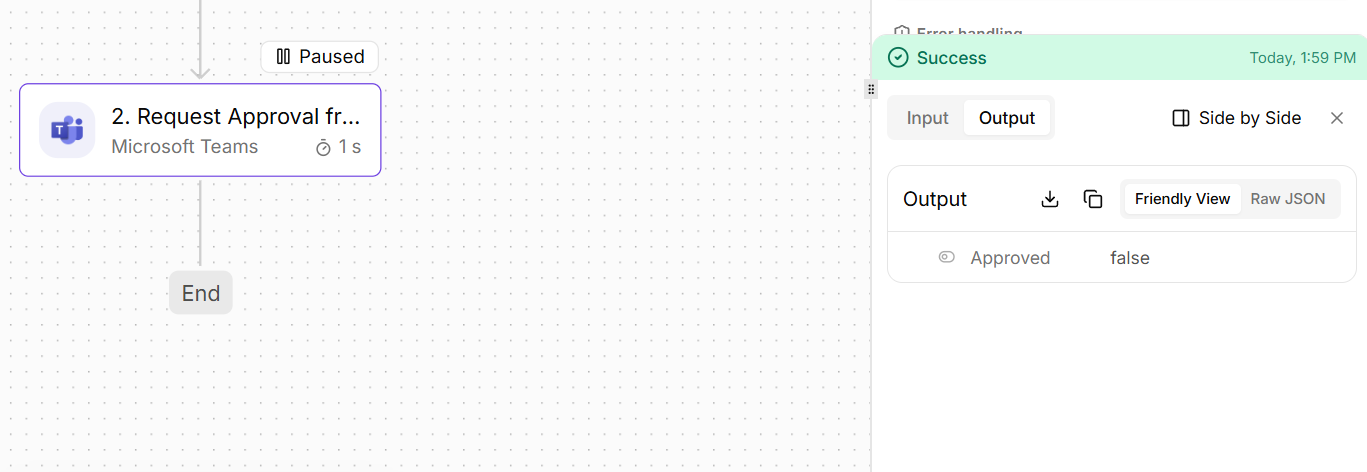
I use the Pipefy iPaaS for integration and I’m running into an issue with the Microsoft Teams “Request Approval from a User” action and would appreciate your help.
Setup
My flow is structured as follows:
1. Card moved (Pipefy) — trigger
2. Get card by id (Pipefy)
3. Send a message (Microsoft Teams)
4. Request Approval from a User (Microsoft Teams)
In real, published runs (not the test/build mode), the approval step at position 4 resolves on its own and returns approved: true without anyone interacting with the approval message in Teams, as if the approval had been answered, even though no approver clicked anything.
What I expected:
The approval step should pause the flow and wait until the assigned user actually responds (approve/reject) in Microsoft Teams, and only then resume and return the corresponding result.
**Questions**
- Is this the expected behavior of the Microsoft Teams “Request Approval from a User” action, or is it a bug?
- Does this action actually pause and wait for the user’s response, or does it return immediately after sending the message?
- If it does not wait, what is the recommended way to implement an approval in Microsoft Teams that pauses the flow until the user responds, and captures the approve/reject result (and ideally a comment/reason on rejection)?
Piece version: Microsoft Teams v0.5.4
I can provide run logs, screenshots, or any other diagnostics you need to reproduce this. Thank you in advance for your help.
Best regards,
Victor Adriell