Hi @nathanmaingard ,
It seems you’ve already figured out the solution; it just needs one more step to search for existing database items. Here’s how the final flow would look:
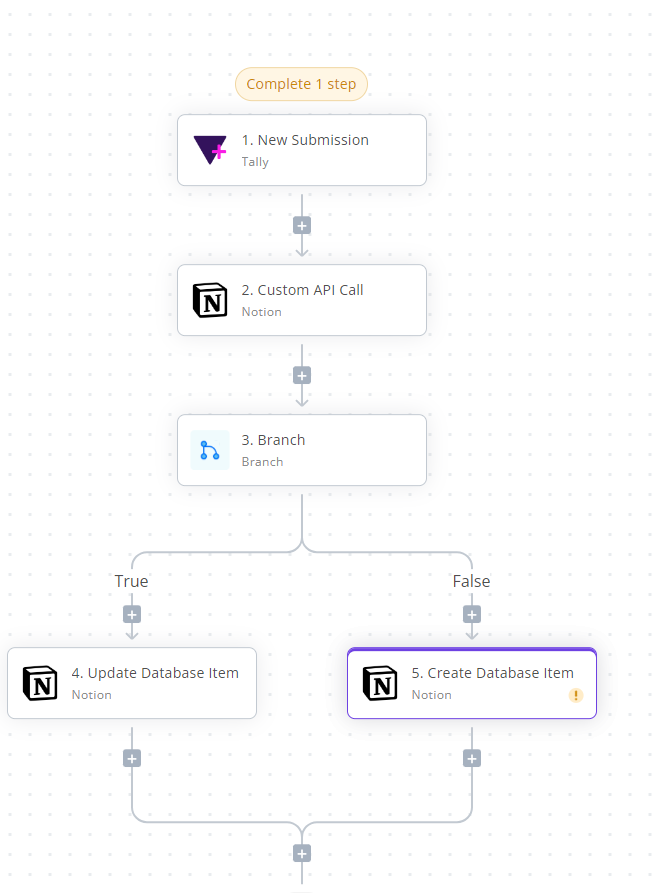
1. Tally New Submission Trigger:
This step will fetch new form submissions using webhooks. You can test it to ensure it includes the necessary Email field, which will be used in the next step.
2. Custom API Call (Search Database Item):
For Step 2, we’ll search for a record with a matching Email (received from the Tally response). Currently, the Notion piece doesn’t have a search action, but you can use a custom API call action.
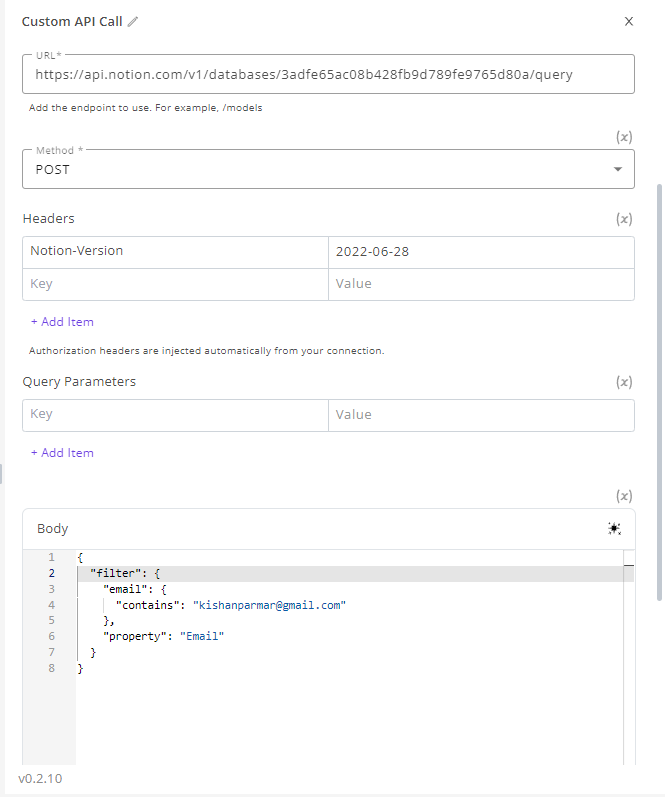
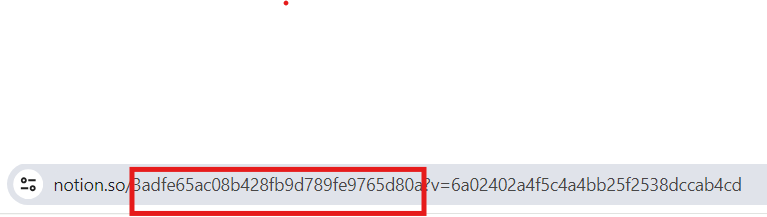
In the URL field, include the database ID after /databases/ . You can find this ID in the URL of the Notion UI.
In the Body field, replace the property value with the actual column name of the Email field of database (in the image, it’s Email ) and replace the value of contains with the email value received in the Tally step response.
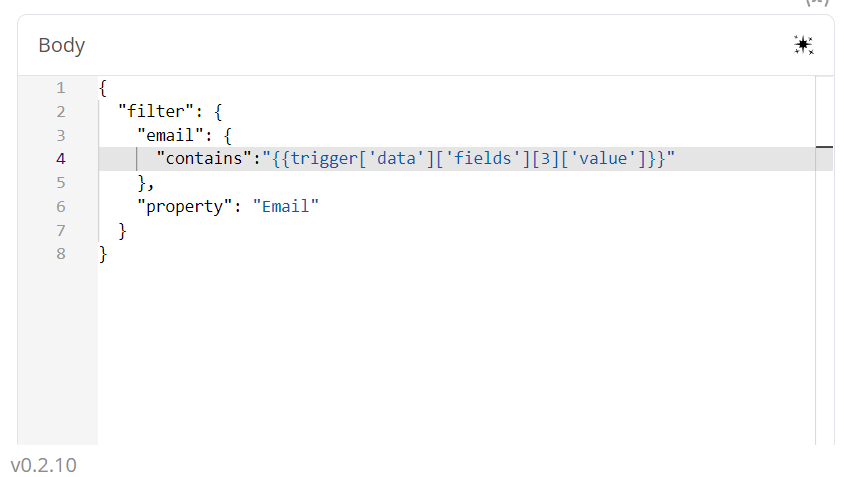
Now, test this step, and it will return a list of items matched with the email in the response. You can use it in the branch step.
Let me know if you face any issue with this flow.