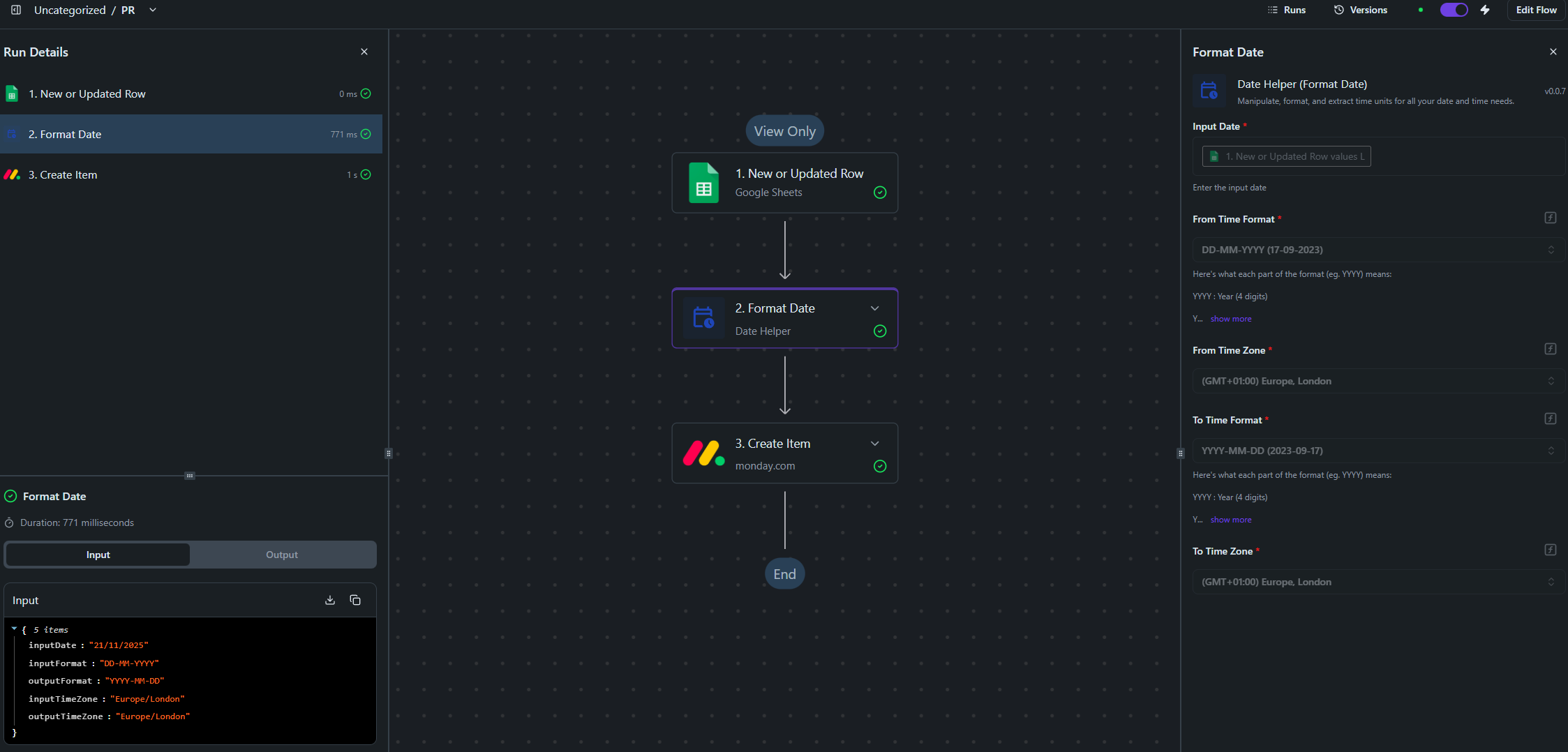
Due to this update with Google’s API, I have recreated all of my flows which are quite basic: Schedule > Google Sheets > Format Date > Monday.com
However, I’ve been met with two errors that weren’t on my previous working flows.
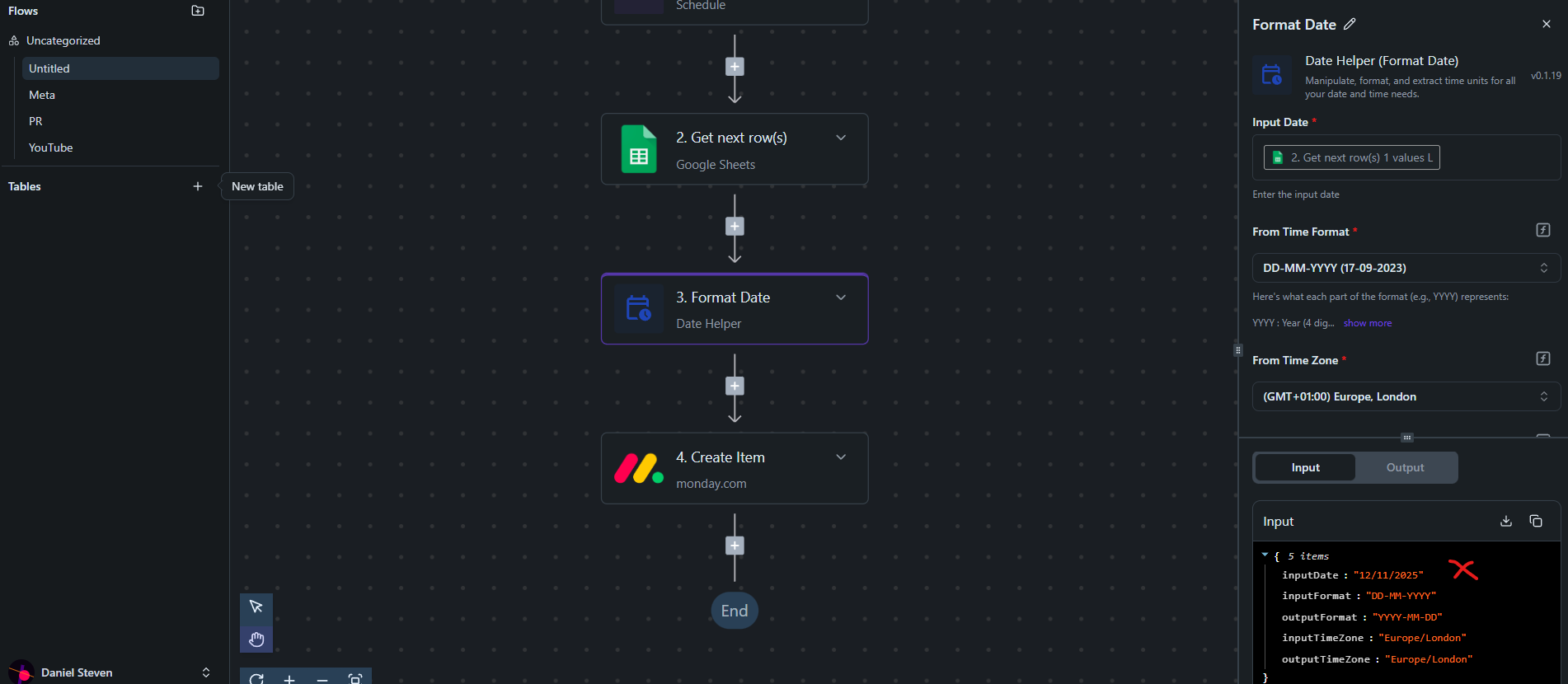
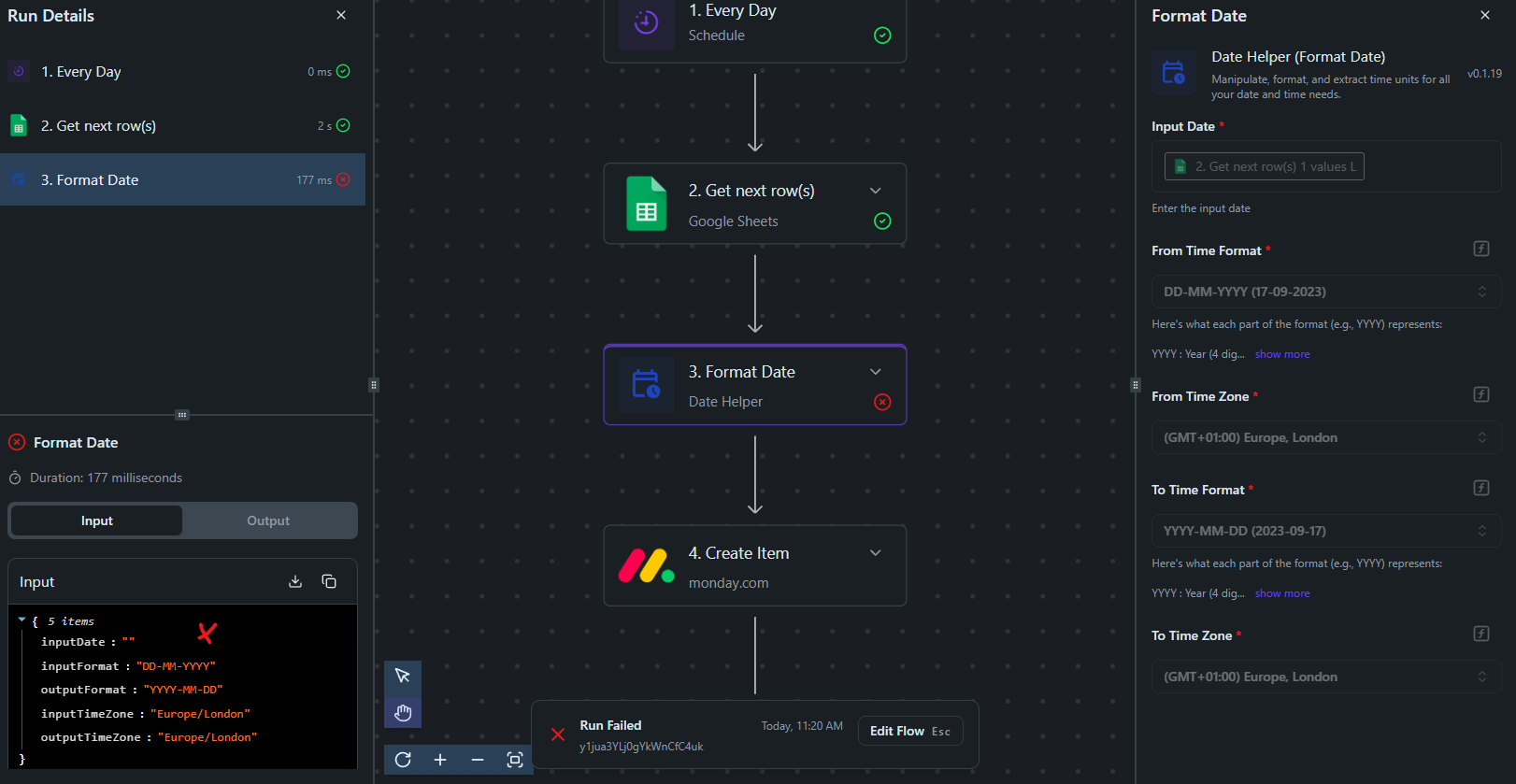
- The sheet is formatted DD/MM/YYYY. Via Format Date, I have tried DD/MM/YYYY and DD-MM-YYYY to YYYY-MM-DD in Active Pieces (as this is the format Monday.com’s API requires). When I test the Format Date step, the generated sample data shows the DD/MM/YYYY date in ‘inputDate’, but when I test the full flow, inputDate displays as “” instead:
- There are now dynamic values in my flow that weren’t there before. They’re not on the Google sheet and don’t need mapping. They’re just on Monday.com for internal use, such as “Paid > Due”, however, I can’t remove them and I think they’re tripping up the flow?
I’ve cross referenced identical mapping; one with the Schedule > Get next row(s) which fails as above. The previous, New or Updated Row, appears to work in Active Pieces, but doesn’t actually follow through due to Google API issue.
Does this mean the work around doesn’t work in this instance?