Hi Lars,
I like your idea of adding sections in the text.
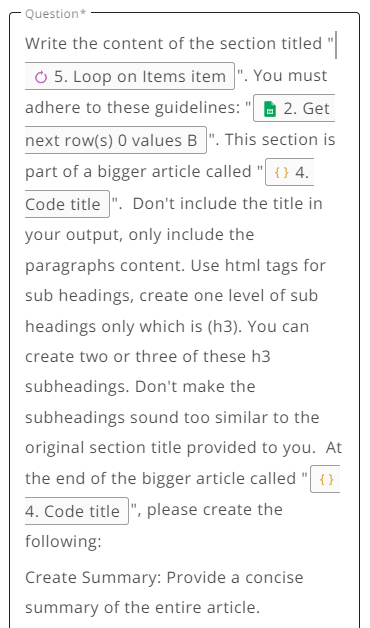
I am using the “Write Long SEO Articles by ChatGPT on WordPress” flow and wanted to add an FAQ and summary at the very end of the article.
When I use the input for step 9 as shown below, I get 5 different summaries for each of the 5 main headings of the article. How do you add additional information such as an FAQ to the very end of the article?
If the goal is a featured image for every post rather than a unique illustration, a template tends to work better than a text to image model. Design one 1200x630 HTML layout with your brand colours, logo and a big slot for the title. In the flow, fill that slot with the post title from the content step, render it to PNG with an HTML to image service through an HTTP step, then pass the file to WordPress Upload Media before Create Post and set the returned media id as featured_media.
You get consistent images with readable titles (AI generators still mangle text), and the same template doubles as your social share card.
If you do want generated art, use it as the background only: generate it with the OpenAI or Stability step, then place that image behind the title in the template. That keeps the look consistent even when the model output varies.
(Disclosure: I’m connected to thirds.ai.)